Make AI proactive
You’ve already built and scheduled two workflows: your daily chief of staff brief and your monthly advisor check-in. Now I’ll walk you through the rest of the workflows I use to make AI proactively get work done for me.
Here’s everything I have scheduled:
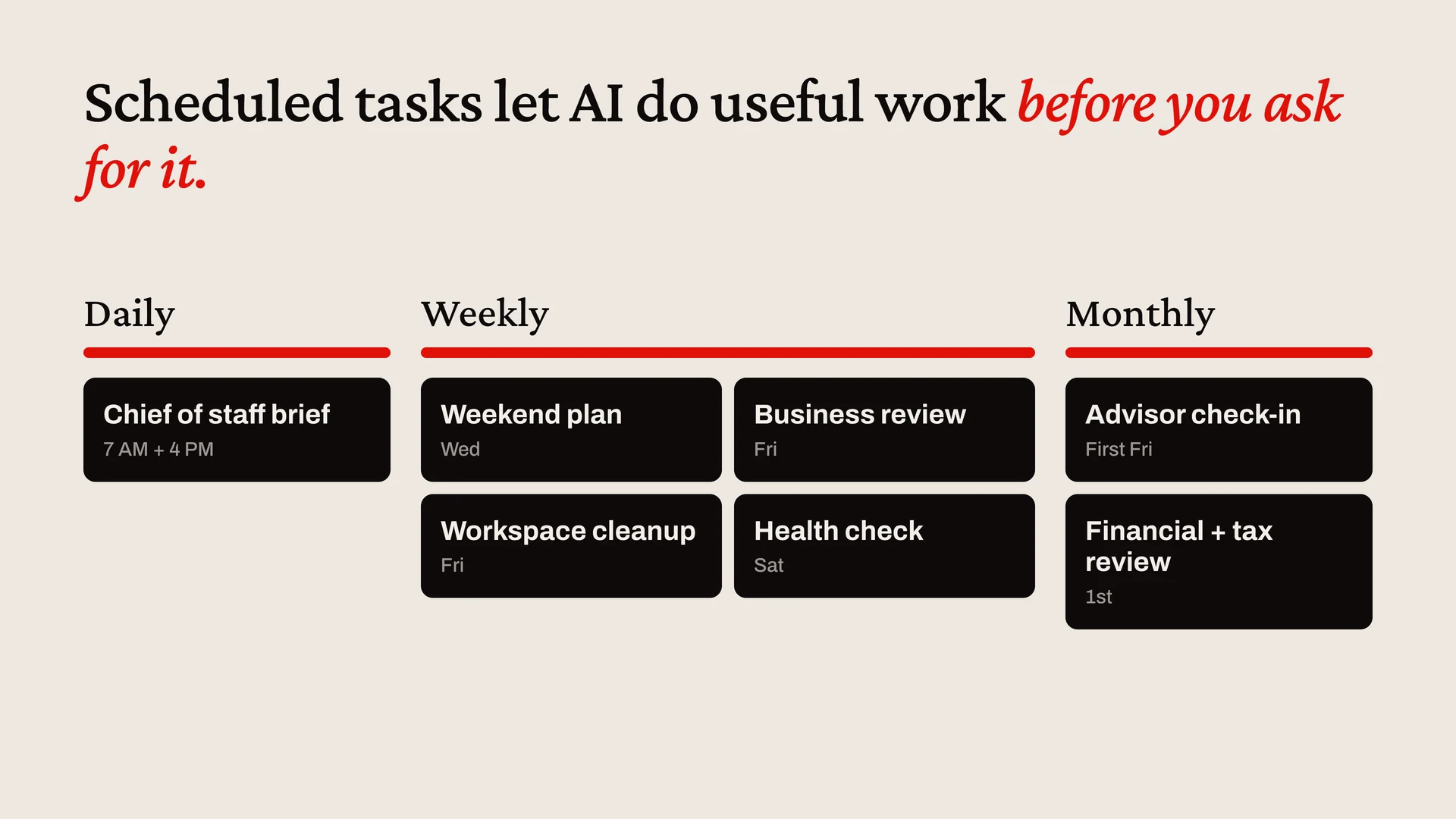
Most of these arrive as emails in my inbox. They’re honestly some of the most useful emails that I get.
Using Claude? Create each job as a cloud Routine and set its schedule in the Routine form in your local time. The one exception is workspace cleanup: it works on folders on your computer, so make it a local scheduled task instead. Each run starts a new session instead of posting in the thread where you tested it, so read the report in the routine’s runs or by email.
Join for $200/year to unlock the full course, plus:
- 25+ lessons of my personal AI course
- $600+ in AI tool discounts to Grok Bot, Replit, Lovable, Granola, and more
- 18 AI skills for work and personal use cases
- Invite to my private Slack with monthly live workshops and direct access to me
- Full access to my paid newsletter with 100+ tutorials and posts
Already a member? Enter your email to log in.