Schedule daily briefs
Let’s bring everything together by asking our Chief of Staff to schedule a daily brief that reviews your email, calendar, and open loops 2x a day. Here’s an example of what my brief looks like:
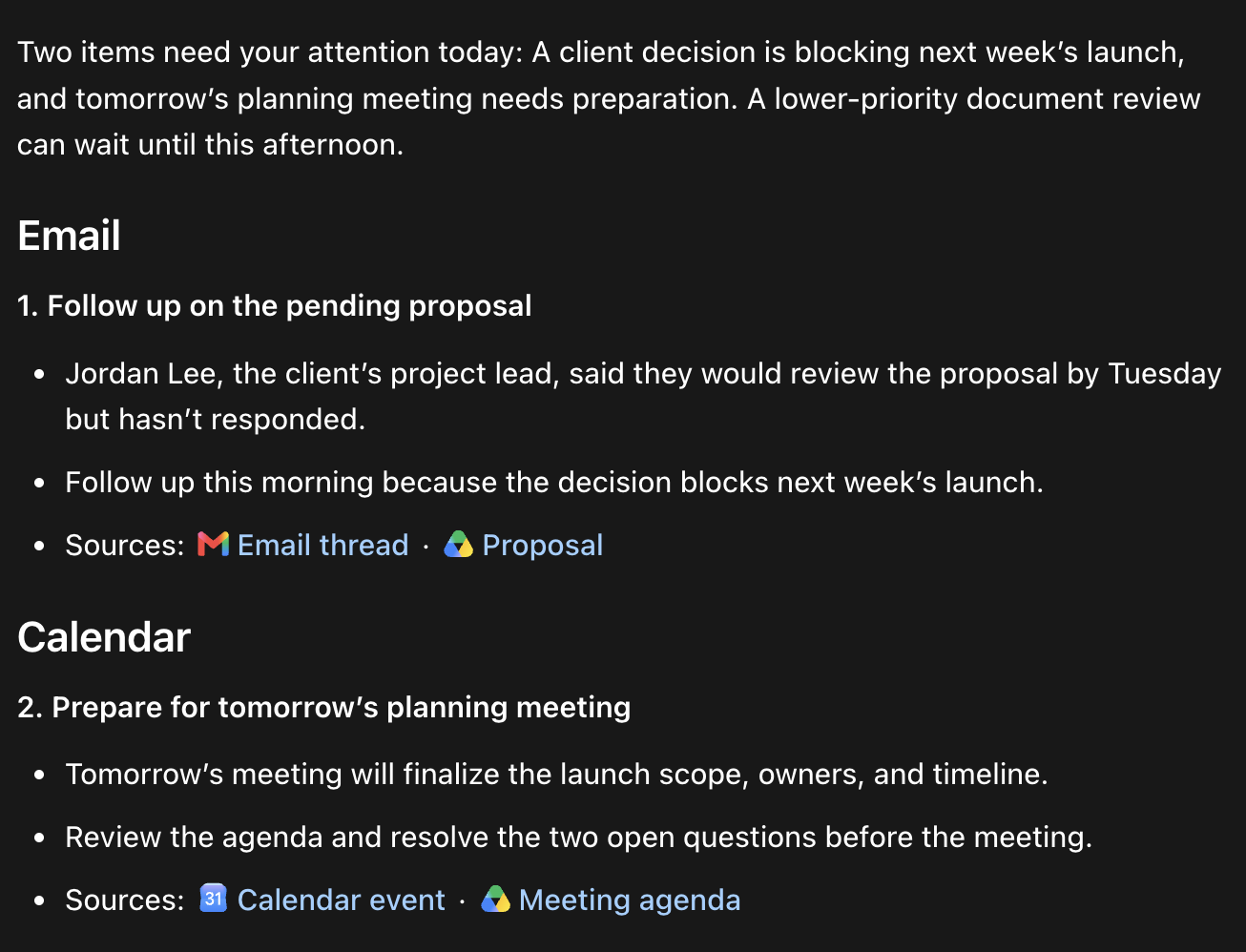
My AI chief of staff sends me this brief at 7 am and 4 pm daily. It’s been extremely useful to help me prioritize what emails, meetings, Slack messages, and more to respond to.
Of course, I also ask AI to draft all the replies for me. To set all this up:
1. Make sure you’ve connected relevant apps
The brief only works if AI can see your work, so make sure you’ve connected your work apps. At a minimum, it needs your:
- Calendar
- Slack, if your team uses it
- Google Workspace files
2. Install the /chief skill
My /chief skill tells AI where to look, what to flag, and how to format the brief. Paste this into your Chief of Staff thread to install it, and skim it briefly to understand how it works:
Install the /chief skill as a user-level skill available across my projects. Save each file exactly as written, then show me where you installed it.

SKILL.md

---
name: chief
description: Review email, calendar, meeting notes, and work apps for things the user owes or is owed, then return a short numbered brief of what needs action. Use for daily briefings, scheduled chief of staff runs, or when the user asks what needs a response.
---

# Chief

Be my chief of staff. Make sure nothing I owe or am owed gets dropped.

Run `eval.md` before returning the brief.

## Sources

- Email: my inbox and sent mail from the last 30 days.
- Calendar and Google Drive: the next two business days and the documents for those meetings.
- Meeting notes, Slack, and project trackers: the last 30 days.

If a source fails, tell me what I need to do instead of pretending the review is complete.

## Look for

1. Unanswered requests: threads where I asked for a reply, decision, or deliverable and nobody has replied in five days.
2. Other people's commitments: replies, reviews, payments, or deliverables I'm waiting on.
3. My commitments: replies, deliverables, introductions, and decisions I promised.

Only include items that need action in the next two business days or involve a high-impact decision. Skip anything completed, scheduled, answered, automated, or FYI.

## Rules

- Open the full thread or document before including an item. If you can't verify it, leave it out.
- When you mention someone I may not recognize, say who they are and why they matter.
- Keep this read-only. Offer to draft replies, but don't draft, send, or change anything unless I ask.

## Output

Start with a two-sentence summary. Then give one numbered list of at most 10 items grouped under Email, Calendar, and Other, ranked by impact and urgency. Number continuously so I can reply by number. Each item follows this shape:

1. Follow up on the pending proposal

- The client said they would review the proposal by Tuesday, but they haven't responded.
- Offer: I can draft a quick follow-up for you.
- Sources: [Email thread](link) · Proposal

End with a short What can wait list.

eval.md

# Chief eval

Before returning a brief, answer yes or no and fix every no.

1. Did I say which sources failed and what I need to do about them?
2. Did I open the full thread or document behind every item?
3. Does every item need action in the next two business days or involve a high-impact decision?
4. Did I skip completed, scheduled, answered, automated, and FYI items?
5. Is it one continuously numbered list of at most 10 items, grouped under Email, Calendar, and Other?
6. Does every item say what's unresolved, offer a next step, and link its sources?
7. Did I avoid drafting, sending, or changing anything I wasn't asked to?
3. Run your first brief
In the same thread, run the skill:
/chief Prepare my brief.Your chief probably won’t get the brief right in one shot. Tell it what it missed, what matters, and what to stop showing you, then ask it to update /chief so future briefs get it right.
When the brief comes in, reply with the items you want handled. You can also run /chief anytime you want a quick list of what needs a response from your email, calendar, and connected apps.
4. Schedule it to run 1-2x a day
Once you’re happy with your /chief skill, schedule it to run 1-2x a day:
Create a scheduled task called "Chief of Staff Briefing" that runs daily at 7 AM and 4 PM in this thread. Use /chief to prepare each briefing.

Schedule

- The 7 AM run is the full briefing.
- The 4 PM run only reports what changed since the morning. Stay quiet if nothing meaningful changed.
- Don't repeat items from earlier briefings unless their status changed.
- If a source or the schedule fails, tell me what I need to do.
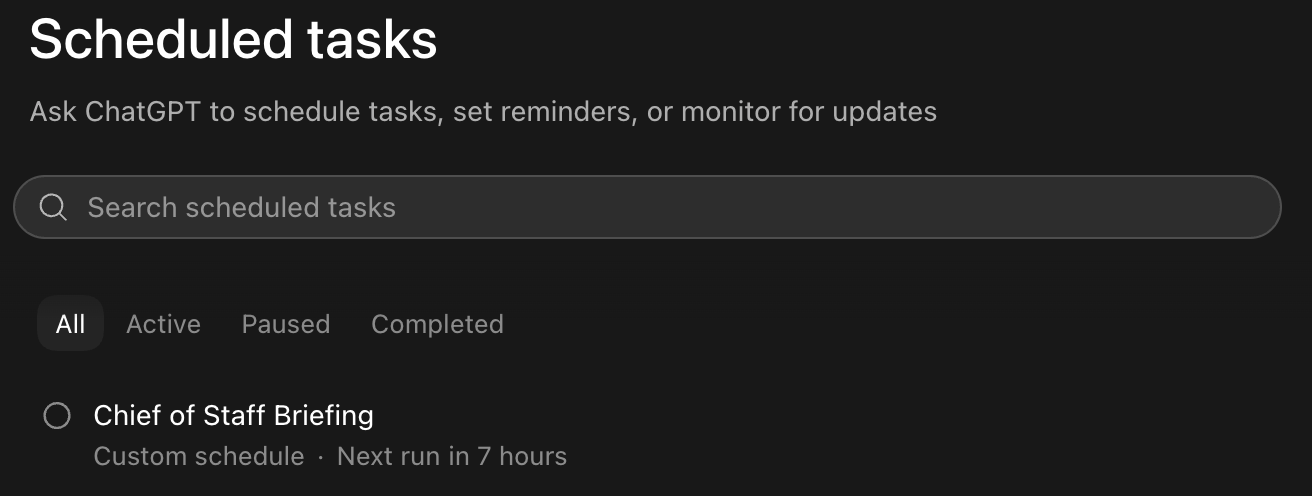
In the ChatGPT desktop app, check Scheduled in the sidebar to make sure that the Chief of Staff briefing is showing up. If you’re using the Claude desktop app, you should be able to find this task in Routines.
🎉 You’ve completed module one!
Next, let’s set up your AI advisor to help you make important decisions about your long-term goals.