Pick your AI tool
Which AI tool should you default to?
Here’s my opinionated take on the four options that matter right now:
- ChatGPT is the best all-around choice for everyday answers, writing, coding, browsing the web, voice, and images.
- Claude has the best model right now in Opus 5.5, but it still trails ChatGPT on browser use, computer use, images, and voice. I use it for writing, design, and big decisions.
- Grok Bot gives you a persistent cloud computer and I love using it. But ChatGPT can do pretty much the same thing.
- Gemini unfortunately lags behind all 3 options above in both model and capabilities. I do like its video creation features.
Here’s a handy chart on my favorite AI tool by use case:
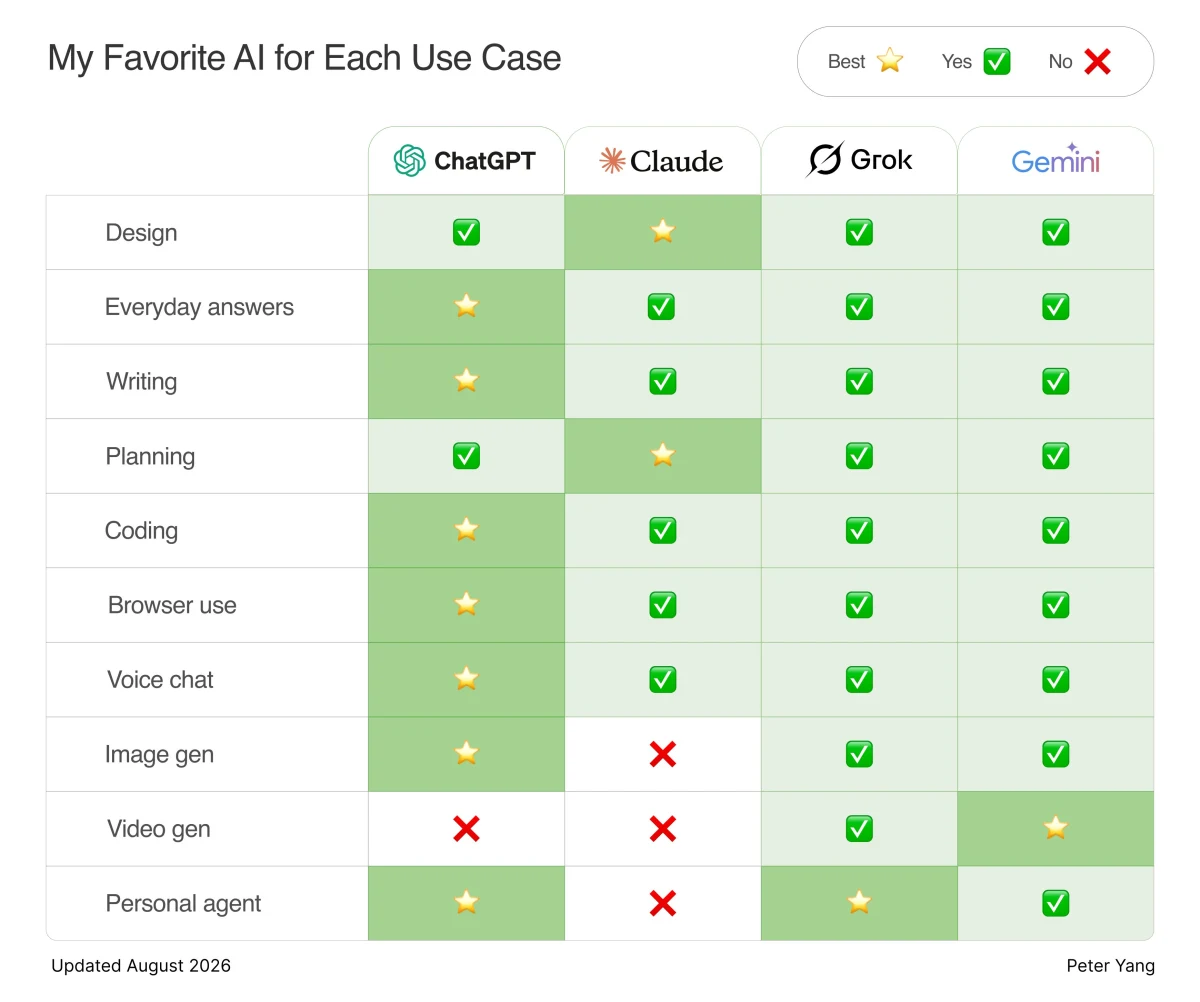
I highly recommend that you get at least a $20 ChatGPT plan if you’re following this course. Claude should work fine too, but some of the features may be more limited.
1. Use the ChatGPT desktop and mobile apps
The ChatGPT desktop and mobile apps can do so much more than ChatGPT for the web. We’ll use the desktop app for most of this course and the mobile app when you want to talk to AI on the go.
2. Use ChatGPT Work or Codex, not Chat
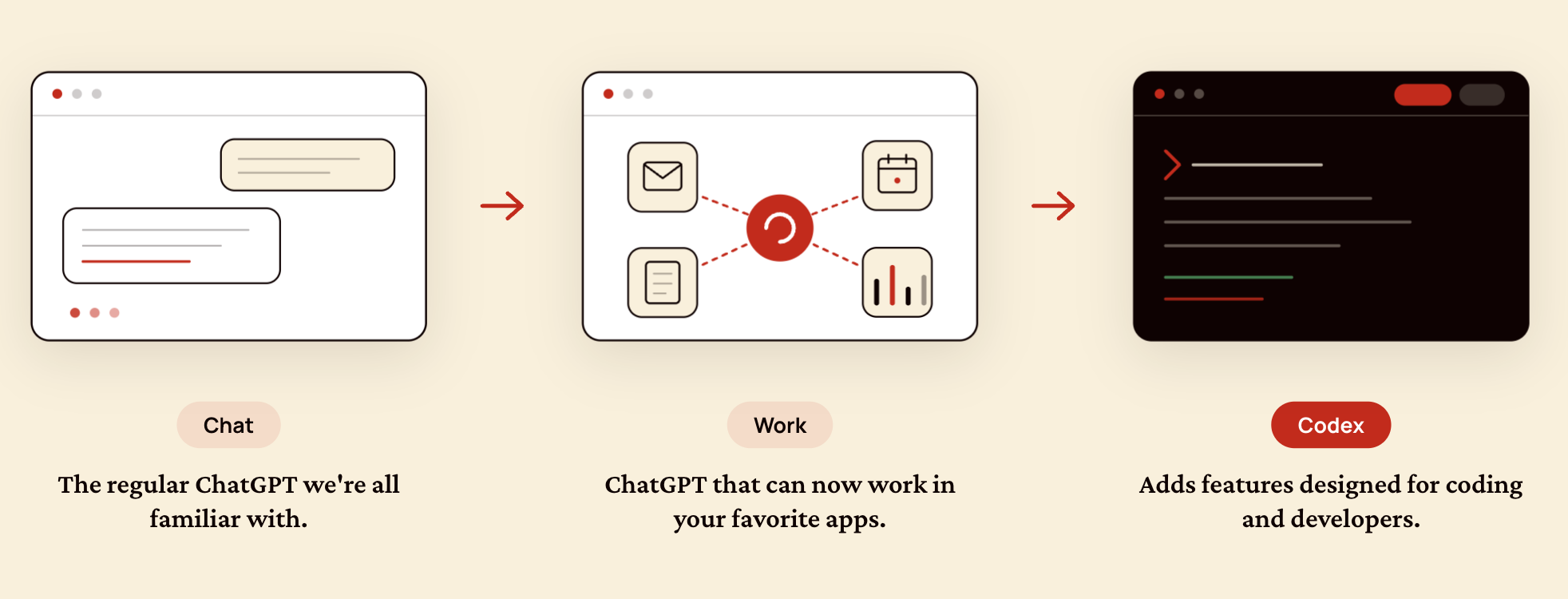
In the ChatGPT desktop app, you’ll see three different modes. Here’s the simplest explanation:
- Chat can answer questions but can’t take action.
- Work can use connected apps like email, calendar, and docs and run tasks in the cloud.
- Codex can work with local files on your laptop.
My recommendation: I default to Codex because I often have to upload a local file or ask AI to “take care of the work on my open browser tab.”
Next, let’s talk about choosing your AI model.